

Tonight, nearby
MusicCinemaWorkshops
Cinema Under the Stars
8:30 PM · Riverside
From $28

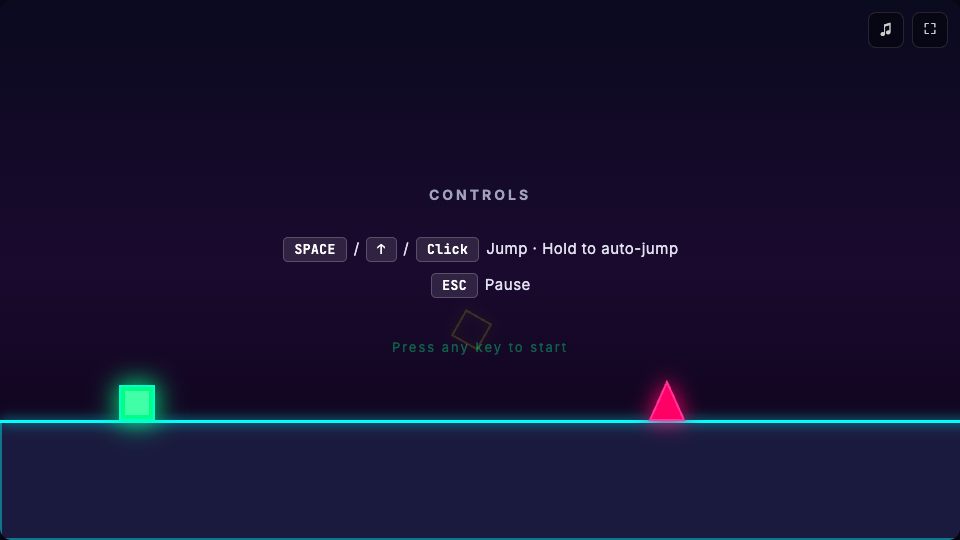
“Build a neon parkour game. Jump over obstacles, follow the rhythm, and play it right in the browser.”
 GLM
GLM Minimax
 Kimi K3
 DeepSeek
 Doubao
 Qwen
Qwen GPT
GPT Gemini
Turn single-line ideas into responsive pages, operable previews, and globally deployed web Apps.
Global Data Centers
Developer Nations
Faster App Development
Different ideas. Shared possibilities.
@emmabrooks
Reading lists and our next meetup, finally in one place. It feels like a home for our book club.
Independent bookshop owner
@olivercreates
Seeing a story turn into something playable makes it much easier to decide what to build next.
Indie game designer
@sophiemartin
A portfolio should tell the story behind the work. Refining it through conversation makes that feel natural.
Freelance brand designer
@jameswilson
A shared space for decisions and handoffs keeps everyone moving without another meeting.
Remote product manager
@charlotteevans
My recipes, a weekly plan, and one grocery list. A small App that makes every day a little easier.
Lifestyle content creator
Choose the resources that fit what you want to build.
Host your App for free. Share it with a public link.
From your first idea to a link you can share.
Explore the answers, then make it yours.Describe an idea in plain language and Tuya AI Coding helps turn it into a website, App, or connected-device experience. Build the interface and logic, then preview and refine it in one workspace.
Explore the platform and examples to find a starting point.
Sign up to get a free App Pod to publish your App,
plus a shareable link — no extra domain purchase needed.